Aider Free Download

Overview
Aider Free Download – AI Pair Programming in Your Terminal
Aider is a free, open-source AI pair programming tool that runs in your terminal and lets you collaborate with large language models to write, edit, and debug code. It supports multiple AI models, integrates with Git, and works with any codebase. This article provides a comprehensive guide to installing and using Aider.
What is Aider?
Aider is an open-source AI coding assistant developed by Aider-AI. It is a Python-based command-line tool that runs in your terminal and pairs you with an LLM to edit code in your local Git repository. The latest version is 0.86.2, released in February 2026.
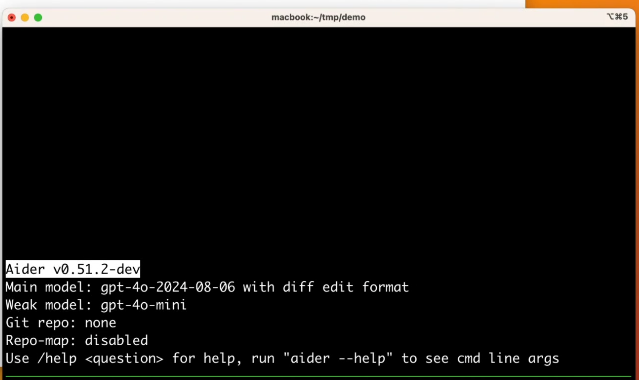
Aider is designed for developers who want AI assistance without leaving the terminal. It maps your entire codebase, identifies the files that need changes, and applies edits directly to your working directory. It also commits changes to Git with sensible commit messages, making it easy to review and undo AI-generated modifications.
Key Features of Aider
Terminal-Native AI Assistance
Work with AI models directly in your terminal. No IDE plugins, no browser tabs — just your code and the AI.
Multi-Model Support
Works with DeepSeek, Claude 3.7 Sonnet, OpenAI o3-mini, and dozens of other LLMs. Switch models at any time.
Git Integration
Every change is committed to Git with a descriptive commit message. Use /undo to revert AI changes instantly.
Whole-Codebase Awareness
Aider builds a map of your entire repository, understanding how files relate to each other before making changes.
File Editing and Creation
Add new files, modify existing ones, and refactor code across multiple files simultaneously.
Linting and Testing
Run linters and tests automatically after AI changes. Aider detects and fixes errors iteratively.
How to Download Aider
Aider is installed via Python's package manager.
| Method | Command |
|---|---|
| pip (recommended) | python -m pip install aider-install |
| pipx | pipx install aider-chat |
| Official Website | Visit aider.chat |
Installation Guide
Prerequisites
- Install Python 3.9 or later
- Install Git and configure your user name and email
Installation via pip
- Run:
python -m pip install aider-install - Run:
aider-installto complete the setup - Verify installation:
aider --version
Installation via pipx (isolated environment)
- Install pipx if not already installed
- Run:
pipx install aider-chat - Verify installation:
aider --version
Getting Started
- Navigate to your project:
cd /path/to/your/project - Launch Aider with your preferred model:
aider --model deepseek --api-key deepseek=<key> - Start chatting with the AI about your code
- Use
/addto include files and/askto ask questions
Why Choose Aider?
Aider is the best free AI pair programming tool for developers who prefer working in the terminal. It integrates seamlessly with Git, supports multiple LLM providers, and is completely open-source. Aider is actively maintained with regular updates and a growing community.
For developers working with JSON configuration files or API responses, the JSON Formatter tool can help validate and format JSON data. The Color Palette Generator is useful for designing terminal color schemes.
System Requirements
- Operating System: Windows, macOS, Linux
- Processor: Any modern processor
- Memory: 512MB RAM minimum
- Disk Space: 200MB for installation
- Python: Python 3.9 or later
- Git: Required for version control integration
Alternatives to Aider
Other AI coding tools include Cline (IDE-based, open-source) and OpenCode (multi-platform, open-source). Aider's terminal-native workflow, Git integration, and multi-model support make it the best choice for developers who prefer a command-line interface.
Conclusion
Aider is the best free AI pair programming tool for the terminal, offering multi-model support with deep Git integration. Install Aider today and pair program with AI from your command line.
