BabelMap Free Download

Overview
BabelMap Free Download – Unicode Character Browser for Windows
BabelMap is a free character map application for Windows that allows you to browse through the entire Unicode character repertoire of nearly 150,000 characters. It supports searching by name or code point, copy to clipboard, and export to image files. This article provides a comprehensive guide to downloading, installing, and using BabelMap.
What is BabelMap?
BabelMap is a free Unicode character browser developed by Andrew West (BabelStone). It is available for Windows XP through Windows 11 and is distributed as freeware for both personal and business use. The current portable version is 16.0.0.6, and the application is about 8 MB in size.
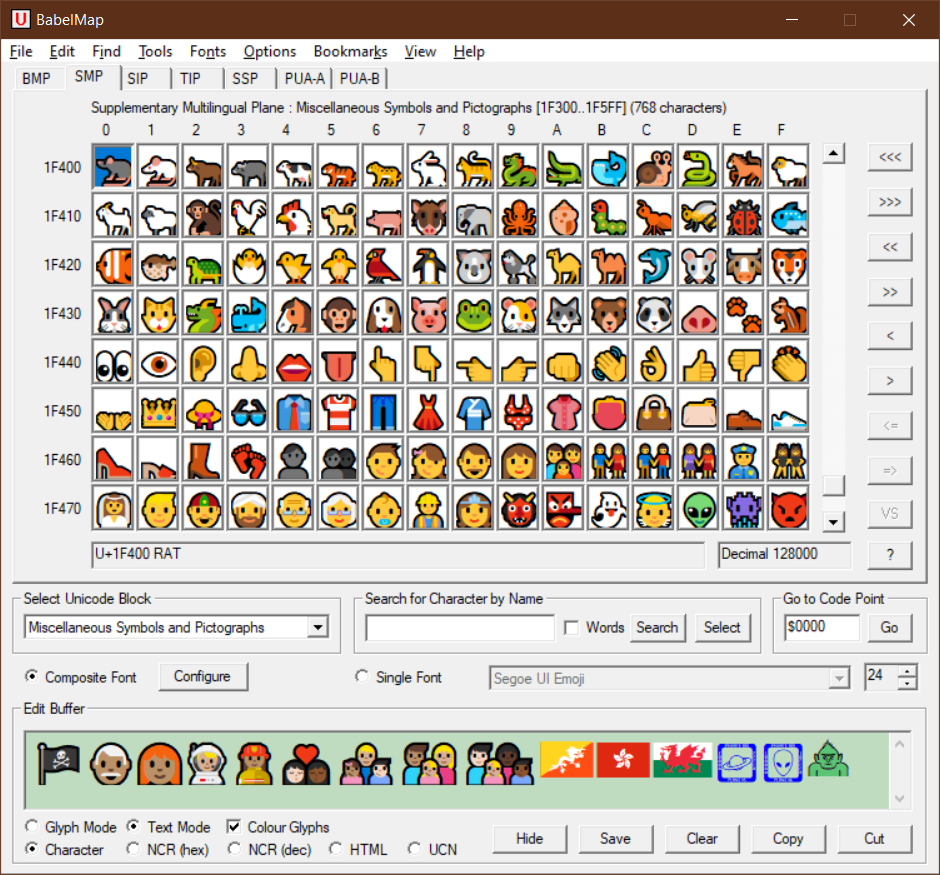
BabelMap supports the most recent version of the Unicode Standard, including the BMP (Basic Multilingual Plane), SMP (Supplementary Multilingual Plane), SIP (Supplementary Ideographic Plane), TIP (Tertiary Ideographic Plane), SSP (Supplementary Special-purpose Plane), and Private Use Area planes. It provides useful features for typography, linguistics, and localization work.
Key Features of BabelMap
Complete Unicode Coverage
Browse nearly 150,000 Unicode characters across all Unicode planes. Supports Unicode 16.0 with full character property information.
Search by Name or Code Point
Find characters by name, code point, or Unicode block. Search by radical or Pinyin for Chinese characters.
Copy and Paste
Copy any Unicode character to the clipboard for use in any Unicode-aware application. View characters in edit buffer as Unicode characters or NCR/UCN entities.
Glyph and Text Rendering
Two rendering modes: Glyph mode for basic display and Text mode for proper script behavior. Choose the mode that suits your needs.
Export Options
Export glyphs to image files. Export character lists and properties for documentation and reference.
How to Download BabelMap
BabelMap can be downloaded from the official BabelStone website or from PortableApps.com.
| Platform | Download Link |
|---|---|
| Windows (Official) | Download from BabelStone |
| Windows (Portable) | Download Portable Version |
Installation Guide
Windows Installation
- Download the BabelMap ZIP from the BabelStone website
- Extract the ZIP to your preferred location
- Run BabelMap.exe directly — no installation required
- Browse the character grid and select characters
- Copy selected characters to the clipboard
Portable Version
- Download BabelMap Portable from PortableApps.com
- Run the installer or extract the portable package
- Launch BabelMap from the PortableApps platform or directly
Why Choose BabelMap?
BabelMap is the best free Unicode character browser for Windows. It provides complete coverage of the Unicode Standard, supports search by name or code point, and includes powerful features like glyph export and Chinese radical search. BabelMap is particularly useful for typographers, linguists, localization professionals, and anyone who needs to work with special characters.
For users who need to convert documents containing special characters, the PDF Converter can help create PDF documents. The Image Compression tool is useful for optimizing exported glyph images.
System Requirements
- Operating System: Windows XP/Vista/7/8/10/11
- Processor: Any modern processor
- Memory: 128MB RAM minimum
- Disk Space: 32MB for installation
Alternatives to BabelMap
Other character map tools include Windows Character Map (built-in, limited) and Character Map UWP (Microsoft Store, modern UI). BabelMap's complete Unicode coverage, search capabilities, and export options make it the best choice for users who need comprehensive Unicode character browsing.
Conclusion
BabelMap is the best free Unicode character browser for Windows, offering complete coverage of the Unicode Standard with powerful search and export features. Download BabelMap today and explore the world of Unicode characters.
