Kate Free Download

Overview
Kate Free Download – Advanced Text Editor by KDE
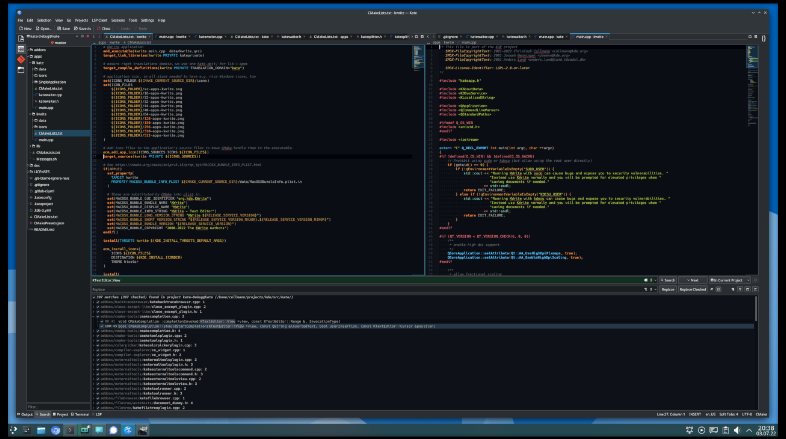
Kate (KDE Advanced Text Editor) is a free and open-source text editor developed by the KDE community. It is a multi-document, multi-view editor designed for programmers, with syntax highlighting, code folding, and a powerful plugin system. This article provides a comprehensive guide to downloading, installing, and using Kate.
What is Kate?
Kate is a free and open-source text editor developed by KDE. It is available for Linux, Windows, and macOS, and is distributed under the GNU Lesser General Public License. The latest version is 26.04.2, released in 2026.
Kate is designed for programmers who need a powerful yet lightweight text editor. It supports syntax highlighting for over 300 programming languages, dynamic word wrap, an embedded console, and an extensive plugin interface. Kate is part of the KDE Applications suite and is also available as a standalone application.
Key Features of Kate
Multi-Document Interface
Open and edit multiple documents simultaneously with tabs and split views. Work on multiple files at once.
Syntax Highlighting
Supports syntax highlighting for over 300 programming languages. Automatic language detection for most file types.
Plugin System
Extend Kate with plugins. Includes plugins for project management, terminal integration, and more.
Code Folding
Collapse and expand code blocks for easier navigation of large files.
Embedded Console
Run commands directly within Kate without switching to a terminal.
Session Management
Save and restore editing sessions. Reopen all your files and restore your workspace.
How to Download Kate
Kate can be downloaded from the official KDE website or from GitHub releases.
| Platform | Download Link |
|---|---|
| Windows (Installer) | Download Windows Installer |
| macOS | Download macOS Package |
| Linux (Flatpak) | Install via Flatpak |
| Linux (Snap) | Install via Snap |
Installation Guide
Windows Installation
- Download the Windows installer from kate-editor.org/get-it/
- Run the installer and follow the setup wizard
- Choose the installation directory (default is recommended)
- Complete the installation and launch Kate
Linux Installation (Flatpak)
- Install via Flatpak:
flatpak install flathub org.kde.kate - Run:
flatpak run org.kde.kate
macOS Installation
- Download the macOS package from kate-editor.org/get-it/
- Open the package and drag Kate to the Applications folder
- Launch Kate from Applications
Why Choose Kate?
Kate is the best free advanced text editor for programmers who need a powerful yet lightweight editing environment. It supports syntax highlighting for hundreds of languages, offers a powerful plugin system, and includes an embedded console. Kate is open-source and available on all major platforms.
For developers who work with JSON configuration files, the JSON Formatter can help validate and format JSON data. The Color Palette Generator is useful for designing syntax highlighting themes.
System Requirements
- Operating System: Windows 10/11, macOS 11+, Linux
- Processor: Any modern 64-bit processor
- Memory: 256MB RAM minimum
- Disk Space: 300MB for installation
Alternatives to Kate
Other text editors include Notepad++ (Windows, lightweight) and Visual Studio Code (cross-platform, feature-rich). Kate's KDE integration, multi-document interface, and plugin system make it the best choice for Linux users and programmers who prefer a native KDE experience.
Conclusion
Kate is the best free advanced text editor by KDE, offering syntax highlighting, plugins, and an embedded console. Download Kate today and enhance your coding workflow.
