Playnite Free Download

Overview
Playnite Free Download – Open-Source Game Library Manager
Playnite is a free, open-source video game library manager that unifies your games from Steam, Epic, GOG, EA App, Battle.net, and emulators into a single interface. It is one of the most popular open-source game launchers for Windows. This article provides a comprehensive guide to downloading, installing, and using Playnite.
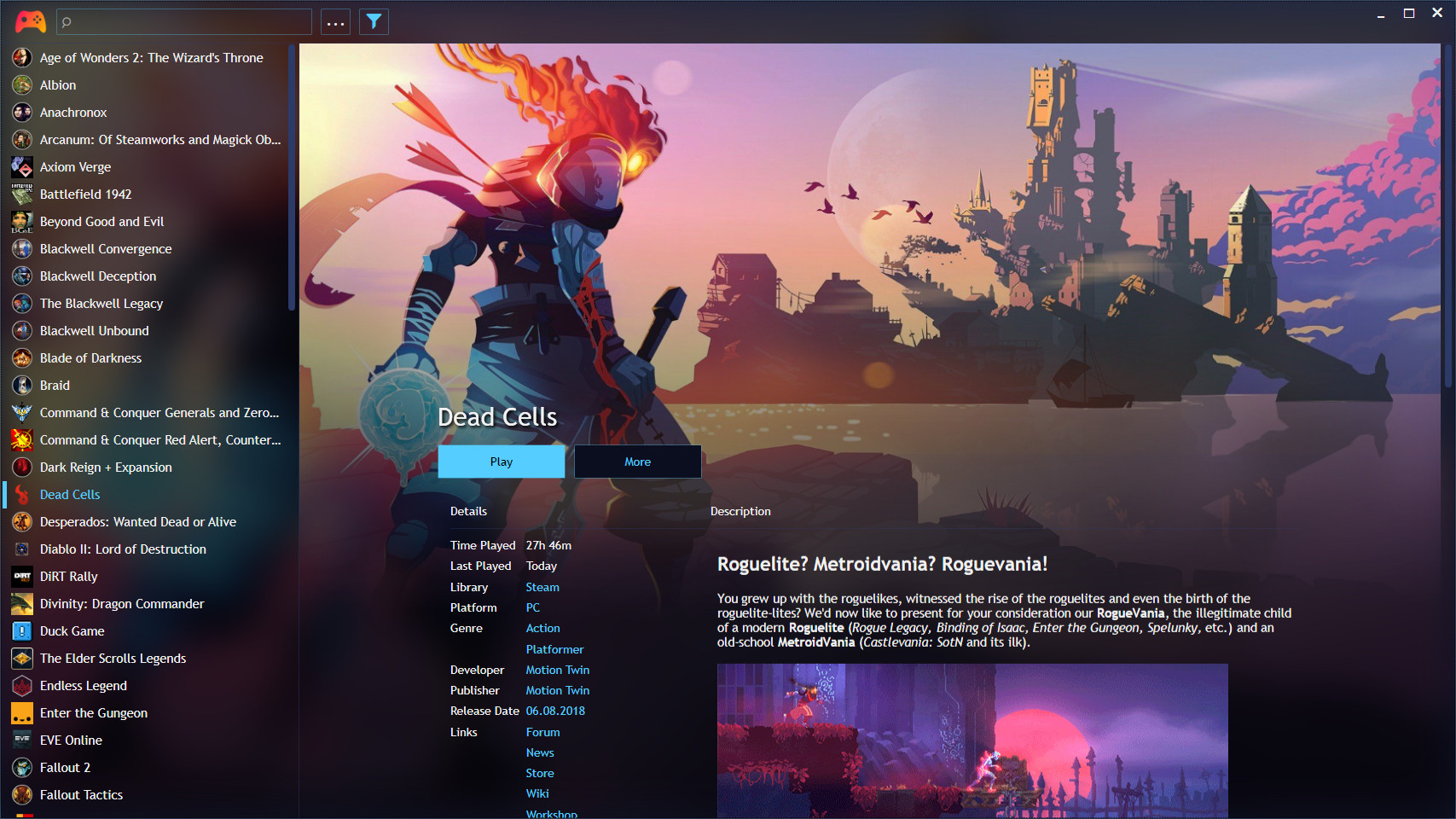
What is Playnite?
Playnite is an open-source video game library manager and launcher developed by Josef Nemec. It is available for Windows 10 and 11 and is distributed under the MIT License. The latest version is 10.56, released in 2026.
Playnite supports a wide range of third-party libraries including Steam, Epic Games Store, GOG, EA App, Battle.net, Ubisoft Connect, Amazon Games, and more. It also includes game emulation support, providing one unified interface for all your games. Playnite is completely free with no paid tiers or feature lockouts.
Key Features of Playnite
Unified Game Library
Import games from Steam, Epic, GOG, EA App, Battle.net, and other platforms. All your games in one place.
Emulation Support
Manage and launch emulated games alongside your modern PC titles. Full support for ROM libraries and emulator configuration.
Themes and Customization
Customize the interface with community-created themes. Choose from dozens of themes to match your preferences.
Extensions and Plugins
Extend Playnite with plugins written in .NET and PowerShell scripts. Add new features and integrations.
Fullscreen Mode
Controller-friendly fullscreen mode for living room setups. Navigate your entire library with a gamepad.
Playtime Tracking
Track playtime across all games and platforms. See detailed statistics about your gaming habits.
How to Download Playnite
Playnite can be downloaded from the official website at playnite.link or from GitHub releases.
| Platform | Download Link |
|---|---|
| Windows (Installer) | Download Windows Installer |
| Windows (Portable) | Download Portable ZIP |
Installation Guide
Windows Installation
- Download the installer from playnite.link/download.html
- Run the installer and follow the setup wizard
- Choose the installation directory (default is recommended)
- Complete the installation and launch Playnite
- Import your game libraries from connected platforms
Portable Version
- Download the portable ZIP from playnite.link/download.html
- Extract the ZIP to your preferred location
- Run Playnite.exe directly — no installation required
Why Choose Playnite?
Playnite is the best free open-source game library manager for Windows users who want to unify their game collection. It supports a wide range of platforms, includes emulation support, and offers extensive customization options. Playnite is completely free with no paid tiers or feature lockouts.
For gamers who need to manage game artwork and metadata, the JSON Formatter can help organize game data files. The Color Palette Generator is useful for creating custom theme colors.
System Requirements
- Operating System: Windows 10/11
- Processor: Any modern 64-bit processor
- Memory: 512MB RAM minimum
- Disk Space: 140MB for installation
- .NET: .NET 6.0 or later
Alternatives to Playnite
Other game launchers include GOG Galaxy (official, DRM-free) and LaunchBox (retro-focused, Windows). Playnite's open-source nature, extensive platform support, and customization options make it the best choice for gamers who want complete control over their library.
Conclusion
Playnite is the best free open-source game library manager, unifying your games from all platforms into a single interface. Download Playnite today and organize your gaming collection.
