cc-compare Free Download

Overview
cc-compare Free Download – Free Code Comparison and Sync Tool
cc-compare is a free and open-source code comparison and synchronization tool developed in China. It is designed as a free alternative to Beyond Compare, offering folder comparison, file comparison, binary comparison, and encoding conversion. This article provides a comprehensive guide to downloading, installing, and using cc-compare.
What is cc-compare?
cc-compare (also known as CCompare) is a free code comparison and synchronization tool developed by cxasm. It is available for Windows, UOS, Ubuntu, and macOS. The latest version is v1.26, released in May 2026.
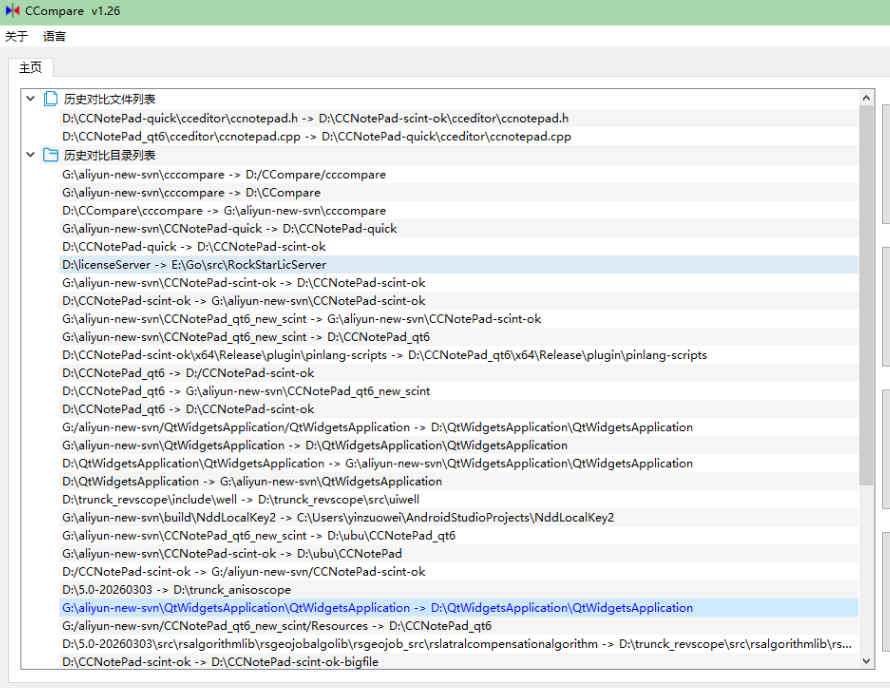
cc-compare is designed for programmers and developers who frequently need to compare code files and folders but don't want to pay for commercial tools like Beyond Compare. It supports folder comparison and synchronization, file comparison, binary file comparison, and batch file encoding conversion. cc-compare is completely free and open-source, with no ads and no license restrictions.
Key Features of cc-compare
Folder Comparison and Sync
Compare entire folders to identify differences and synchronize changes. Perfect for managing code versions and backups.
File Comparison
Compare text files side by side with clear visual highlighting of differences. Identify changes quickly and accurately.
Binary File Comparison
Compare binary files for differences. Useful for comparing compiled binaries or other non-text files.
File Encoding Conversion
Batch convert file encodings. cc-compare supports multiple character encodings, making it easy to work with files from different systems.
Cross-Platform
Available for Windows, UOS, Ubuntu, and macOS.
How to Download cc-compare
cc-compare can be downloaded from the official GitHub repository.
| Platform | Download Link |
|---|---|
| Windows | Download Windows Version |
| Linux (UOS/Ubuntu) | Download Linux Version |
| macOS | Download macOS Version |
Installation Guide
Windows Installation
- Download the Windows version from GitHub releases
- Extract the ZIP to your preferred location
- Run ccompare.exe directly — no installation required
Linux Installation
- Download the Linux package from GitHub releases
- Extract and run the executable
- Alternatively, build from source using Qt
macOS Installation
- Download the macOS package from GitHub releases
- Open the package and follow the installation instructions
- Launch cc-compare from the Applications folder
Why Choose cc-compare?
cc-compare is the best free code comparison tool for developers who need a reliable alternative to Beyond Compare. It supports folder comparison, file comparison, binary comparison, and encoding conversion — all completely free. cc-compare is open-source, cross-platform, and has no ads or license restrictions.
For developers who need to compare JSON configuration files, the JSON Formatter can help format JSON data before comparison. The Color Palette Generator is useful for creating color schemes for difference highlighting.
System Requirements
- Operating System: Windows 7+, macOS, Linux (UOS/Ubuntu)
- Processor: Any modern processor
- Memory: 256MB RAM minimum
- Disk Space: 50MB for installation
Alternatives to cc-compare
Other file comparison tools include WinMerge (open-source, Windows) and Beyond Compare (commercial, cross-platform). cc-compare's completely free licensing, cross-platform support, and comprehensive feature set make it the best choice for developers who need a free comparison tool.
Conclusion
cc-compare is the best free code comparison and synchronization tool, offering a comprehensive alternative to Beyond Compare at no cost. Download cc-compare today and streamline your code comparison workflow.
