Tabby Free Download

Overview
Tabby Free Download – Modern Terminal Emulator and SSH Client
Tabby (formerly Terminus) is a free and open-source terminal emulator, SSH client, and serial client for Windows, macOS, and Linux. It is highly configurable, visually appealing, and packed with features that make it a modern alternative to traditional terminal applications. This article provides a comprehensive guide to downloading, installing, and using Tabby.
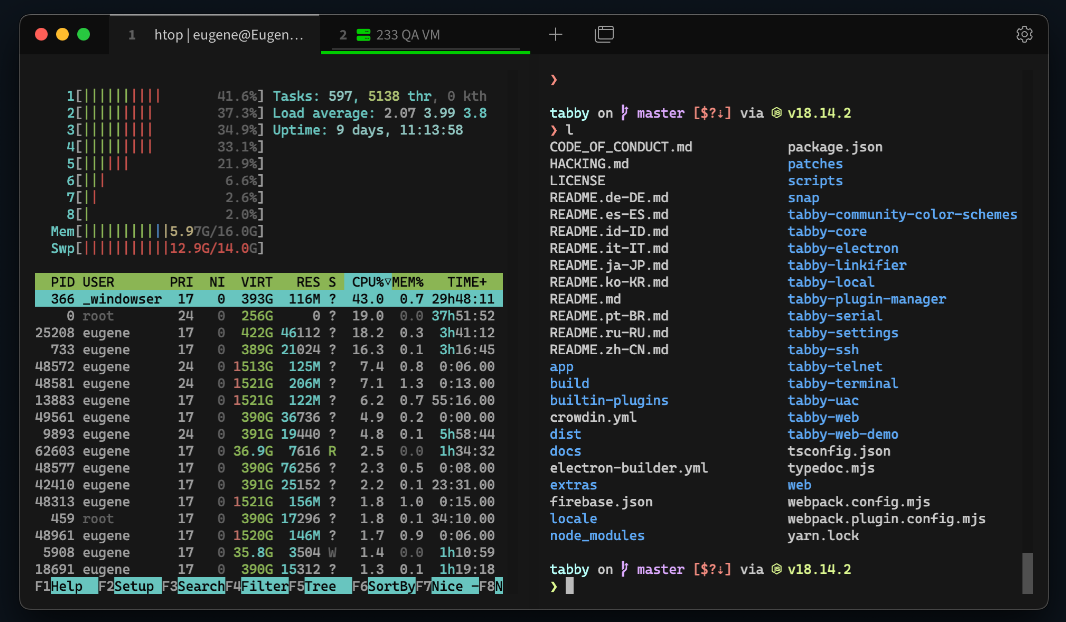
What is Tabby?
Tabby is a free and open-source terminal emulator developed by Eugeny. It is available for Windows, macOS, and Linux, and is distributed under the MIT license. Tabby was formerly known as Terminus and has gained over 50,000 stars on GitHub, making it one of the most popular modern terminal emulators.
Tabby is designed to be a highly configurable terminal emulator that supports SSH, Telnet, serial connections, and local shell sessions. It features a modern, visually appealing interface with tabs, split panes, and extensive customization options. Tabby is completely free and open-source.
Key Features of Tabby
SSH and Serial Client
Tabby includes built-in SSH and serial client support, allowing you to connect to remote servers and serial devices directly from the terminal.
Tabbed Interface
Manage multiple terminal sessions with tabs. Split panes horizontally or vertically for side-by-side work.
Highly Configurable
Customize every aspect of Tabby, including themes, fonts, keyboard shortcuts, and color schemes. Tabby supports plugins for extended functionality.
Cross-Platform
Tabby runs on Windows, macOS, and Linux with a consistent experience across all platforms.
Portable Version
Tabby is available as a portable application that can be run from a USB drive without installation.
How to Download Tabby
Tabby can be downloaded from the official website at tabby.sh or from the GitHub releases page.
| Platform | Download Link |
|---|---|
| Windows (Installer) | Download Windows Installer |
| Windows (Portable) | Download Portable Version |
| macOS | Download macOS Package |
| Linux (.deb) | Download .deb Package |
| Linux (.rpm) | Download .rpm Package |
Installation Guide
Windows Installation
- Download the installer from tabby.sh
- Run the installer and follow the setup wizard
- Choose the installation directory (default is recommended)
- Complete the installation and launch Tabby
macOS Installation
- Download the macOS package (.dmg) from tabby.sh
- Open the .dmg file and drag Tabby to the Applications folder
- Launch Tabby from Applications
Linux Installation
- Download the .deb or .rpm package from tabby.sh
- Install using your package manager
- Launch Tabby from the application menu
Why Choose Tabby?
Tabby is the best modern terminal emulator for users who want a powerful, visually appealing alternative to traditional terminal applications. It supports SSH, serial, and local shell sessions, with extensive customization options. Tabby is completely free and open-source.
For developers who need to manage remote servers, the JSON Formatter can help format configuration files. The Color Palette Generator is useful for designing terminal color schemes.
System Requirements
- Operating System: Windows 10/11, macOS 10.13+, Linux
- Processor: Any modern 64-bit processor
- Memory: 256MB RAM minimum
- Disk Space: 200MB for installation
Alternatives to Tabby
Other terminal emulators include PuTTY (SSH-focused, Windows) and Windows Terminal (built-in, Windows). Tabby's modern interface, SSH/serial support, and extensive customization make it the best choice for developers and system administrators.
Conclusion
Tabby is the best free modern terminal emulator, offering SSH and serial client support with a highly configurable interface. Download Tabby today and upgrade your terminal experience.
