QEMU Free Download

Overview
QEMU Free Download – Open-Source Machine Emulator and Virtualizer
QEMU (Quick EMUlator) is a free and open-source machine emulator and virtualizer that allows you to run operating systems and applications designed for one architecture on a different architecture. It is one of the most powerful and versatile virtualization tools available. This article provides a comprehensive guide to downloading, installing, and using QEMU.
What is QEMU?
QEMU is a generic and open-source machine emulator and virtualizer developed by the QEMU team. It is available for Linux, macOS, and Windows, and is distributed under the GPL-2.0 and LGPL-2.1 licenses. The latest stable version is 11.1.1.
QEMU can perform two main functions: full system emulation and user-mode emulation. In full system emulation mode, QEMU emulates a complete computer system, allowing you to run operating systems and applications without modification. In user-mode emulation mode, QEMU runs Linux binaries compiled for one architecture on a different architecture.
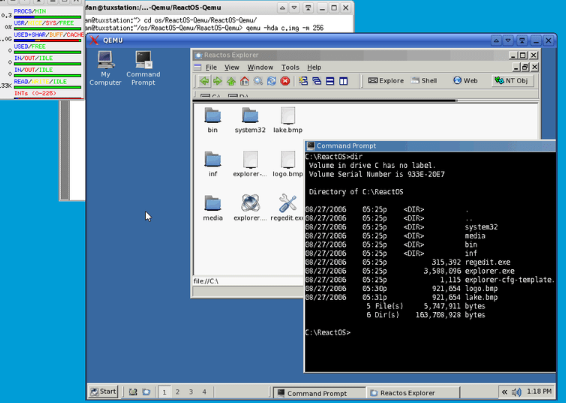
Key Features of QEMU
Full System Emulation
Emulate a complete computer system, including processor, memory, storage, and peripherals. Run any operating system without modification.
User-Mode Emulation
Run Linux binaries compiled for one architecture on a different architecture. Ideal for cross-platform development and testing.
Cross-Platform
QEMU runs on Linux, macOS, and Windows, and can emulate a wide range of target architectures including x86, ARM, RISC-V, PowerPC, and more.
KVM and Xen Support
On Linux, QEMU can use KVM (Kernel-based Virtual Machine) for near-native virtualization performance. Xen virtualization is also supported.
Open Source
Completely free and open-source, with a large community of contributors and extensive documentation.
How to Download QEMU
QEMU can be downloaded from the official website at qemu.org or installed via package managers.
| Platform | Download Link |
|---|---|
| Source Code | Download QEMU Source |
| Windows (64-bit) | Download Windows Installer |
| macOS (Homebrew) | Install via Homebrew |
| Linux (Package) | Install via Package Manager |
On Linux, install via your distribution's package manager: apt-get install qemu-system (Debian/Ubuntu) or dnf install @virtualization (Fedora). On macOS, use Homebrew: brew install qemu.
Installation Guide
Windows Installation
- Download the Windows installer from qemu.weilnetz.de/w64/
- Run the installer and follow the setup wizard
- Choose the installation directory (default is recommended)
- Complete the installation and add QEMU to your system PATH
- Open a command prompt and run
qemu-system-x86_64 --versionto verify
macOS Installation
- Install via Homebrew:
brew install qemu - Verify installation:
qemu-system-x86_64 --version
Linux Installation
- Install via your distribution's package manager:
- Debian/Ubuntu:
sudo apt-get install qemu-system - Fedora:
sudo dnf install @virtualization - Arch:
sudo pacman -S qemu
- Debian/Ubuntu:
- Verify installation:
qemu-system-x86_64 --version
Why Choose QEMU?
QEMU is the most versatile free virtualization and emulation tool available. It supports a wide range of target architectures, can run operating systems without modification, and integrates with KVM for near-native performance. QEMU is open-source, actively maintained, and trusted by developers and researchers worldwide.
For developers testing applications in virtual machines, the JSON Formatter can help format configuration files. The Color Palette Generator is useful for designing VM interface color schemes.
System Requirements
- Operating System: Linux, macOS, Windows
- Processor: Any modern 64-bit processor
- Memory: 2GB RAM minimum, 4GB+ recommended
- Disk Space: 100MB for installation, additional space for VMs
Alternatives to QEMU
Other virtualization tools include VirtualBox (user-friendly, cross-platform) and VMware Workstation (commercial, Windows/Linux). QEMU's broad architecture support, KVM integration, and open-source nature make it the best choice for developers and researchers who need maximum flexibility.
Conclusion
QEMU is the best free open-source machine emulator and virtualizer, offering unmatched flexibility for running operating systems and applications across architectures. Download QEMU today and unlock the power of emulation.
